
Harvest Right
Harvest RightHouse & Home
4.7143.00 Reviews
- Version
- 1.0.58
- Installs
- 10.00K
- Age Rating
- Everyone
Screenshots
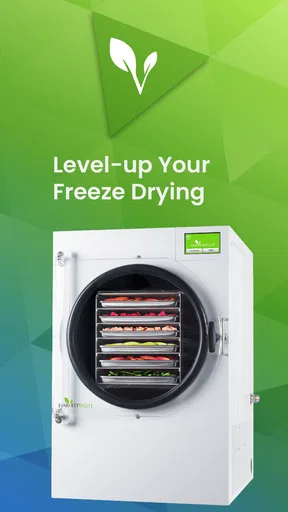
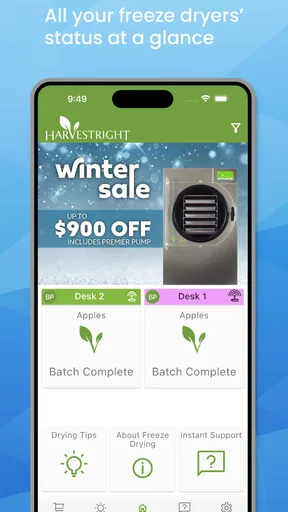
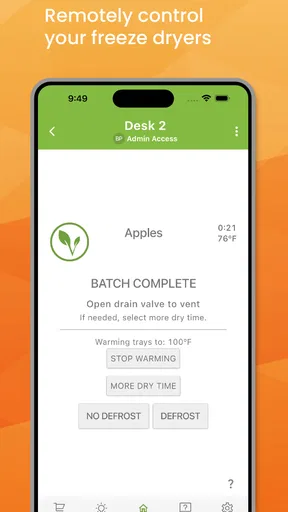
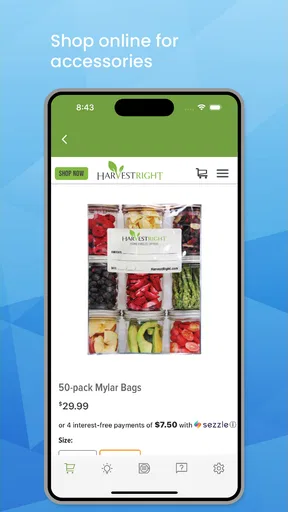
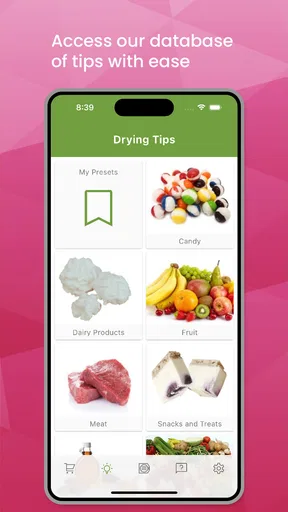
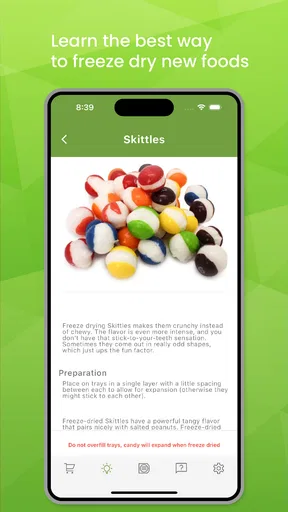
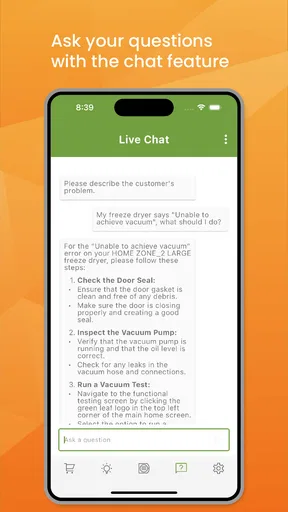
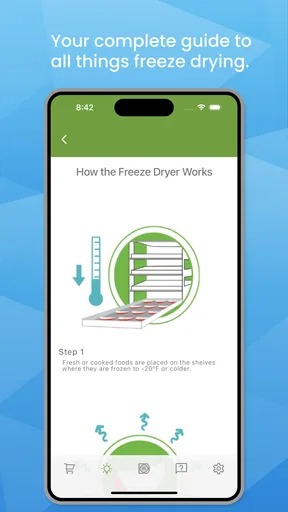
Our Review of Harvest Right
 Analysis by Appyee
When I look at a connected home appliance app, I want one thing to be clear: does it make the appliance easier to use, or does it simply put a familiar control panel on a phone? After spending time with Harvest Right, I found that its main value is direct access to a compatible Harvest Right freeze dryer. That focus is both its strength and its boundary. It is not a general food-planning app or a recipe library. It is a companion for people who already own the company’s equipment and want a more convenient way to stay involved with the freeze-drying process.
The app is free, aimed at everyone, and belongs in the House & Home category. Harvest Right is the developer, and the Android listing shows a 4.7 average from over 800 ratings, with more than 10,000 installs. Those figures suggest that the app has found a clear audience, although the audience is naturally narrower than that of a typical cooking or household organizer. Its current version is 1.0.58, and it runs on Android 7.0 or later.
Direct control is the feature that matters
The central capability is simple to describe: the app gives me direct access to a freeze dryer instead of making me return to the machine every time I want to check its progress or interact with it. That sounds like a small convenience until I consider what freeze drying asks from the person operating the appliance. A cycle can occupy a meaningful part of the day, and the machine is not always positioned somewhere I naturally pass through.
With a conventional approach, I have to remember where the appliance is, walk over to it, read its display, and decide whether anything needs attention. The phone changes that routine. I can keep the appliance in a utility room, garage, pantry area, or another practical location while still treating its status as part of my normal household workflow. The real benefit is not remote access by itself; it is fewer unnecessary trips during a long preservation task.
I also like that the app’s purpose is easy to understand. There is no attempt to turn freeze drying into a social network or bury the appliance controls under unrelated content. If I am already committed to using a Harvest Right freeze dryer, the application has a direct reason to be installed. That clarity is more useful than a crowded interface filled with features I would rarely open.
There is an important distinction, however. Direct access does not remove the need for good preparation. I still need to load the trays sensibly, follow the appliance’s operating guidance, and check the food when the process calls for it. A phone interface can improve awareness and convenience, but it cannot compensate for poor food preparation, an unsuitable load, or neglecting the physical machine.
What changes in an ordinary household routine
Imagine preparing a batch of garden produce on a busy weekend. I load the machine, start the process, and then move on to laundry, errands, or family tasks. Without a companion app, checking progress means interrupting those activities and physically visiting the freeze dryer. With Harvest Right on my phone, I have a more practical way to keep the appliance in mind without hovering around it.
That matters even more when the appliance is not located near the kitchen. Many people place large equipment where ventilation, floor space, or noise are easier to manage rather than where it is most convenient to monitor. The app helps separate the appliance’s physical location from the user’s ability to stay informed about it. In my view, that is the most convincing reason to use it.
The advantage is also psychological. Long-running household jobs are easy to forget when they compete with work, meals, children, and sleep. A dedicated appliance companion keeps the task visible in a way that a handwritten note or a general reminder cannot. I do not have to remember exactly when I last checked the machine; I can use the app as the first place to look before deciding whether a trip to the appliance is necessary.
That workflow is particularly useful for people who preserve food in repeated batches. If freeze drying is an occasional experiment, opening an app may not feel like a major improvement. If it is part of a weekly routine, even small reductions in walking back and forth add up. The app earns its place through repetition rather than through one dramatic feature.
How I would use it before, during, and after a cycle
Before starting, I would treat the app as one part of a larger checklist rather than as the checklist itself. I would prepare the food, arrange the trays, confirm that the machine is ready, and then use the phone to stay connected once the cycle begins. This approach prevents a common mistake with smart appliances: assuming that a digital connection means the physical setup no longer deserves attention.
During the process, I would use the app for quick status checks instead of repeatedly visiting the appliance. That is where its direct-access idea becomes practical. A short look at the phone can answer whether I need to investigate further or whether the machine can continue while I handle something else. The best use is therefore selective monitoring, not constant screen watching.
Afterward, I would still inspect the result in person. Freeze-dried food is a physical outcome, and texture, dryness, packaging, and storage all require judgment beyond what a remote interface can provide. The app can help me stay connected to the appliance, but it should not encourage me to treat the completed cycle as a purely digital event.
One useful habit is to pair the app with a simple batch note. I can record what food went in, when I started it, and what I noticed when unloading. That makes the application more valuable over time because the phone becomes the monitoring point while the notes preserve practical experience. The app itself does not need to become a full food journal for this combination to work.
The strongest scenario: a machine outside the main living area
The clearest use case is a household that runs a freeze dryer in a garage, basement, storage room, or other area away from daily activity. In that situation, the appliance’s location is chosen for practical reasons, but the distance creates friction. I may not want to walk there every time I wonder whether the process is still running. Harvest Right addresses that exact mismatch between where the machine needs to be and where I spend my time.
Consider a weekday evening. I have loaded a batch earlier, started the machine, and am preparing dinner. I remember that I need to check its progress, but I am also waiting for something on the stove and helping with household tasks. A phone-based check is much less disruptive than leaving the kitchen and going to the garage. If the app shows that there is no immediate reason to intervene, I can return to dinner and make a physical inspection later at a sensible point.
This is not just about laziness. Repeated trips can be inconvenient for people with limited mobility, for anyone whose appliance is on another floor, or for households where the machine occupies a space that is difficult to access safely at night. Remote awareness can make the equipment feel less intrusive in the home. It also lets the owner choose the best location for the appliance instead of sacrificing that choice for easier monitoring.
Another strong scenario is batch-based food preservation before travel or a particularly busy day. I would not use the app as permission to ignore the machine, but it can make planning less awkward. I can begin a task, continue with other responsibilities, and keep the freeze dryer within my awareness without physically standing beside it. That is a modest change, yet it is exactly the kind of modest change that determines whether a large appliance feels manageable.
Where the convenience stops
The app is not the right choice for someone who does not own a compatible Harvest Right freeze dryer. Its purpose is tied to that equipment, so installing it without the appliance would offer little practical value. It is also not a replacement for a general smart-home platform if what I want is one dashboard for lights, cameras, thermostats, and appliances from many manufacturers.
That limitation is worth stating plainly because “smart appliance” can create broad expectations. I would not choose this app expecting it to teach me preservation techniques, plan meals, manage pantry inventory, or compare food costs. Its useful territory is narrower: staying connected to the freeze dryer. For an owner, that narrowness feels focused. For everyone else, it makes the app irrelevant.
There is also a human limitation. Remote access can make me feel informed without guaranteeing that I have made the right decision. A status view cannot smell food, examine its texture, notice an unusual sound, or replace a physical check when something seems off. I would use the app to reduce routine checking, not to eliminate sensible supervision.
Connectivity introduces another practical trade-off. Any phone-to-appliance experience depends on the devices being able to communicate properly. When that relationship works, the convenience is obvious. When it does not, I need to fall back to the machine itself. For that reason, I would never begin a batch while assuming that the phone is the only way I will be able to manage it. The app is best treated as an additional access point, not the sole control method.
Comparing it with the usual alternatives
The most basic alternative is simply walking to the freeze dryer. That costs nothing and remains dependable as a fallback, but it becomes tiring when the appliance is far away or when a cycle requires several checks. Harvest Right does not make the physical machine unnecessary; it makes the first stage of monitoring easier.
A second alternative is using a general reminder app. I can set an alarm to visit the appliance at a chosen time, but a reminder only tells me when to look. It does not give me direct access to the equipment. That distinction matters when a process does not line up neatly with a fixed schedule. The dedicated app is more useful when I want current information rather than a repeated instruction to go and check.
Some owners may also rely on notes, spreadsheets, or a paper log. Those tools are excellent for recording batches, food types, and observations, but they serve a different purpose. A log helps me learn from previous cycles; Harvest Right helps me stay connected to the current one. I would not choose between them. The most sensible setup is to use the app for live awareness and a separate note for personal records.
A general smart-home hub may be preferable for someone who already manages many connected products and wants a single automation system. Its advantage is breadth. Harvest Right’s advantage is specificity. If my main concern is the freeze dryer, a focused companion can be less distracting than a large household dashboard. If I need cross-brand routines, the broader platform may fit better.
Small habits that make the app more useful
My first tip is to keep the phone-based check separate from the physical inspection. I would look at the app when I need a quick update, then reserve visits for loading, unloading, cleaning, or any situation that genuinely calls for being beside the machine. This avoids turning convenience into constant checking while still respecting the appliance’s physical needs.
My second tip is to use the app as a planning aid for location. If I am deciding where to place a freeze dryer, direct access means I can consider ventilation, noise, floor protection, and available space more freely. I would still follow the equipment’s installation requirements, but I would not assume that the machine must be positioned in the busiest part of the home simply because monitoring is easier there.
A third useful habit is to check the phone before interrupting another task, but not before every task. The app is most valuable when it replaces unnecessary movement. If I am already near the appliance, a physical glance may be faster. If I am upstairs, outside, or in the middle of cooking, the phone makes more sense. Choosing the right moment keeps the feature from becoming another source of digital clutter.
I would also keep a simple record of any unusual result. If a batch takes longer than expected or the finished food needs a different approach, writing that down gives the next cycle context. The app provides access to the current appliance; my notes provide memory that a connected control tool cannot supply on its own. That combination is especially helpful for someone learning how their household uses freeze-dried food.
Who will benefit most from this companion
This is a good fit for an existing Harvest Right owner who runs the machine often, keeps it away from the main living area, or dislikes repeated trips to check a long process. It is also useful for households where one person prepares the batch while another person wants a convenient way to stay aware of what the appliance is doing. Because the app is free, the decision is mainly about usefulness and compatibility rather than adding another purchase to the preservation setup.
I would be more cautious if I used the freeze dryer only once in a while and kept it directly beside the kitchen. In that situation, the phone may not save enough effort to change my routine. Someone who prefers hands-on operation may also find the app unnecessary. There is nothing wrong with using the machine directly when that method already feels simple and reliable.
It is also not ideal for a person looking for broad household management. The House & Home label may sound expansive, but this particular tool has a specific job. I would skip it if my priority were recipes, shopping lists, inventory, appliance sharing across brands, or general home automation. Those needs call for different tools.
Device expectations and everyday usability
The Android requirement is relatively approachable because the app supports Android 7.0 and later. That makes it accessible to people who are not using a recent flagship phone, although the experience will still depend on the condition of the phone and the way the appliance is connected. I would keep the app on the device I normally carry rather than installing it on a rarely used tablet, because its main purpose is convenient access during ordinary household activity.
The age rating is Everyone, which fits the app’s practical household role. I do not see it as entertainment or as something designed for a particular age group. The important question is whether the user owns the relevant equipment and wants phone-based access to it. That is a much more meaningful suitability test than age alone.
Since the app was released on August 9, 2024, and has reached its current 1.0.58 version, I would keep it updated through the normal app-store process. Updates are especially relevant for a companion application because its usefulness depends on continuing communication with the appliance. I would not treat the version number as a guarantee of a perfect experience, but staying current is a sensible part of maintaining any connected tool.
My recommendation after using it
Harvest Right succeeds because it concentrates on a real annoyance: monitoring a freeze dryer that may be working somewhere I do not want to visit repeatedly. The direct-access capability is not flashy, but it has a clear effect on daily use. It makes the appliance easier to fit around cooking, work, family responsibilities, and the practical realities of where large equipment belongs.
My recommendation is strongest for frequent owners with a machine outside the main living space. For them, the app can turn routine status checks into quick phone interactions and make the whole preservation workflow feel less demanding. I would still inspect the machine and the food in person when appropriate, because convenience should support good operation rather than replace it.
For occasional users, the decision is less obvious. If the freeze dryer is already easy to reach, the app may be a pleasant extra rather than an essential tool. If I wanted a broad home-control system or a food-management assistant, I would choose something designed for that purpose instead. But for its specific role, the free Harvest Right companion is focused, practical, and worth trying when the equipment is already part of my household routine.
Verdict
Strengths of Harvest Right
- Clear step-by-step guidance for using Harvest Right freeze dryers.
- Helps monitor freeze-drying cycles and appliance status remotely.
- Useful reminders can reduce the risk of forgetting active batches.
- Supports better planning for food preservation and storage.
- Convenient access to Harvest Right resources and product information.
Limitations of Harvest Right
- Remote features depend on a stable internet connection and compatible equipment.
- Notifications may arrive late if background activity is restricted.
- Some features may be limited to newer Harvest Right models.
- The app offers little value without a Harvest Right appliance.
- Troubleshooting information may not resolve every mechanical issue.
Similar Picks in This Category
View All
Universal TV Remote Control
CodeMatics Media Solutions3.9

AlfredCamera Home Security app
Alfred Systems Inc.4.7

Planner 5D: AI Home Design
Planner 5D4.5

Universal Tv Remote-Cast to TV
One Music Player4.1

Zillow: Homes for Sale & Rent
Zillow Group4.8

99acres Buy/Rent/Sell Property
infoedge.com4.3
Frequently Asked Questions
What is Harvest Right, and what does the app do?
Harvest Right is primarily known for its home and commercial freeze-drying systems, while its digital tools may help users access product information, support resources, manuals, recipes, and guidance. Before downloading any related app, check its exact purpose and publisher, because the available features can vary by region and may not provide complete control over every freeze dryer model.
Can the Harvest Right app control my freeze dryer remotely?
Remote control and monitoring should not be assumed. Depending on the app version, device model, and region, Harvest Right’s digital services may offer troubleshooting, notifications, documentation, or account features rather than full remote operation. Review the supported-model list and required Wi-Fi or account permissions before downloading, and confirm whether your specific machine is compatible.
Is a Harvest Right account required to use the app?
Some features may be available without signing in, such as general product information, help articles, or basic instructions. However, account access may be required for registering equipment, contacting support, viewing order details, receiving personalized assistance, or using connected-device features. Have your purchase information and machine details available if the app requests verification during setup.
Does the Harvest Right app provide freeze-drying instructions and troubleshooting help?
The app or connected Harvest Right resources may provide useful guidance about preparing food, selecting cycles, storage, maintenance, and resolving common alerts. Nevertheless, digital instructions should supplement the official manual rather than replace it. Always follow the safety directions for vacuum equipment, electrical connections, food handling, and cleaning, especially when diagnosing unusual noises or failed batches.
Is the Harvest Right app free, and what permissions does it request?
Downloading the app may be free, but certain products, services, or connected features can require owning compatible Harvest Right equipment or creating an account. During installation, review permissions such as network access, notifications, Bluetooth, location, or camera access. Only grant permissions that match the feature you intend to use, and check the store listing for current costs and privacy details.
